 knacksnews
Top Free Graphic Design Tools Anyone Can Use Without Experience
Creating designs doesn’t need to be hard or expensive. Thanks to modern software, you no longer have to be a professional to make posters, social media graphics, logos, or even resumes. Whether you're a student, small business owner, content creator, or someone just trying to make something look nice—there are tools out there made just for you.
In this post, you’ll discover the best free graphic design tools that are super simple to use. You don’t need any design skills or experience. These platforms are made for non-designers and are perfect for creating beautiful visuals with just a few clicks.
Why Non-Designers Need Graphic Design Tools
Non-designers, including small business owners, students, social media managers, and bloggers, often need to create graphics. Hiring a designer or using complex software may not always be possible. Free design tools bridge this gap by offering:
- Easy-to-use interfaces
- Ready-made templates
- Access to stock images and icons
- Drag-and-drop features
- No design skills required
These platforms make design more accessible, allowing anyone to produce professional-looking content without spending a cent.
Canva
Canva is often the first recommendation for beginners. It provides a user-friendly interface and thousands of templates for all kinds of visual content — from social media posts to resumes and infographics.
Key Features:
- Drag-and-drop editor
- Library of free fonts, icons, and images
- Pre-made templates for Instagram, Facebook, YouTube, and more
- Supports team collaboration
- Accessible via browser and mobile apps
Even on the free plan, Canva provides everything needed to create beautiful graphics quickly and easily.
VistaCreate (formerly Crello)
VistaCreate is another powerful alternative that focuses heavily on animated visuals and social media graphics. It’s great for users who want to add motion to their posts without using complicated video editing software.
Highlights of VistaCreate:
- Animation tools and motion graphics templates
- Design formats for stories, posts, and ads
- Access to a large collection of royalty-free assets
- Simple interface suited for non-designers
VistaCreate offers a more dynamic experience for those who want to take their visuals a step further.
Pixlr
Pixlr offers a more photo-editing-focused tool, which is ideal for users who want Photoshop-like features without the complexity or cost. Before moving to advanced features, users will appreciate its clean and intuitive layout.
What Pixlr Offers:
- Two editors: Pixlr X (easy) and Pixlr E (advanced)
- Background remover
- Filters and effects
- Layers support
- No download is required – it works in the browser
Pixlr gives non-designers the flexibility to make more precise edits while keeping things straightforward.
Fotor
Fotor is best known for its one-click photo enhancement and is perfect for users who mostly work with images.
Benefits of Fotor:
- AI-powered image enhancement
- Collage maker
- Templates for banners, cards, and social posts
- Batch editing tools
- Works on desktop and mobile
Fotor is ideal for users who want polished photos and graphics without manual effort.
Adobe Express (Formerly Adobe Spark)
Adobe Express simplifies the Adobe experience and makes it beginner-friendly. Non-designers who have heard of Adobe’s reputation can now try its lightweight tool for free.
What Makes Adobe Express Great:
- Brand-ready templates
- Quick creation of posts, stories, and videos
- Access to Adobe Fonts and Stock (limited)
- Cloud-based and mobile-friendly
- Easy animations and transitions
Adobe Express is ideal for businesses and individuals who want pro-looking visuals without advanced design skills.
Snappa
Snappa is a web-based tool focused on digital marketers, bloggers, and content creators. It's perfect for making quick, attention-grabbing graphics.
Snappa’s Key Features:
- Templates for headers, posts, and ads
- Free stock photo library
- Resize feature for different platforms
- Simple layout with a minimal learning curve
Snappa limits the number of downloads on its free plan but remains a solid choice for occasional users.
DesignWizard
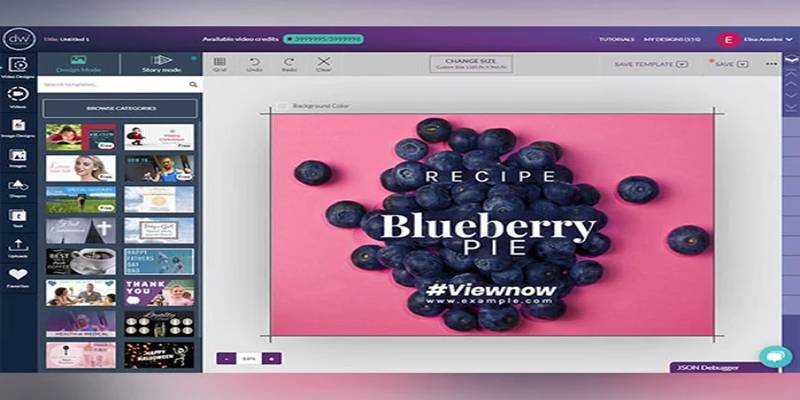
DesignWizard allows users to create visuals with ease, offering a rich collection of customizable templates. It’s especially helpful for creating promotional and marketing materials.
DesignWizard Advantages:
- Pre-designed templates for business use
- Video creation tools
- Easy text and image editing
- Drag-and-drop editor
- Cloud-based system
While the free version has limitations, it’s a great way for beginners to start building visually engaging content.
Krita
While most tools on this list focus on social media and marketing graphics, Krita is aimed at those interested in digital drawing and painting. It's a fantastic open-source tool for creative minds.
Krita’s Artistic Features:
- Professional-grade painting tools
- Layer support and brush customization
- Animation tools
- Ideal for illustrations and concept art
- Totally free, with no premium version
Non-designers with a passion for drawing or creativity will find Krita both fun and functional.
Visme – Perfect for Infographics and Reports
If you need to make reports, charts, or presentations, Visme is a smart choice. It’s made for business use but is beginner-friendly.
Here’s what you can create:
- Infographics
- Charts and data visuals
- Slide decks and reports
Before exploring Visme’s template library, take a few minutes to understand your layout needs.
Key Features:
- Drag-and-drop editor
- Customizable templates
- Icons, charts, and graphs
- Supports animation and interactivity
The free version has some limitations, but you can still create a lot without paying.
Tips for Beginners Using These Tools
Non-designers may feel unsure about where to begin. These simple tips can help improve the quality of their work:
- Stick to one or two fonts to keep the design clean.
- Use templates to save time and maintain consistency.
- Use high-quality images from the tool’s stock libraries.
- Maintain a consistent color palette for a professional look.
These tips can go a long way in helping non-designers make the most of free tools.
Conclusion
Creating professional visuals no longer requires a design degree or expensive tools. Thanks to the wide range of free graphic design tools, non-designers can now produce high-quality images, flyers, social posts, and even videos with ease. Whether someone is managing a small business, running a blog, or wants to improve their projects, these tools provide everything needed to get started — without stress, cost, or confusion. The key is to explore a few options, practice with templates, and enjoy the creative process. With the right tools, everyone can design.
On this page
Why Non-Designers Need Graphic Design Tools Canva Key Features: VistaCreate (formerly Crello) Highlights of VistaCreate: Pixlr What Pixlr Offers: Fotor Benefits of Fotor: Adobe Express (Formerly Adobe Spark) What Makes Adobe Express Great: Snappa Snappa’s Key Features: DesignWizard DesignWizard Advantages: Krita Krita’s Artistic Features: Visme – Perfect for Infographics and Reports Key Features: Tips for Beginners Using These Tools ConclusionRelated Articles

Spotting AI-Generated Content: The Best Detectors You Need to Know
Use PowerToys Run to mimic Mac's Spotlight in Windows
ProWritingAid vs. Grammarly: A Writer's Guide to Choosing the Best Tool

Safe and Secure: Free Antivirus Solutions for Daily Web Protection

Find the Right Pomodoro Timer App to Maximize Your Work Sessions
Choosing Between Calendly and Doodle: Which Tool Suits Your Needs
Writesonic vs. Jasper

10 Best Accounting Software Tools for Self-Employed People
Unlock Higher Productivity with These 10 Chrome Extensions 2025
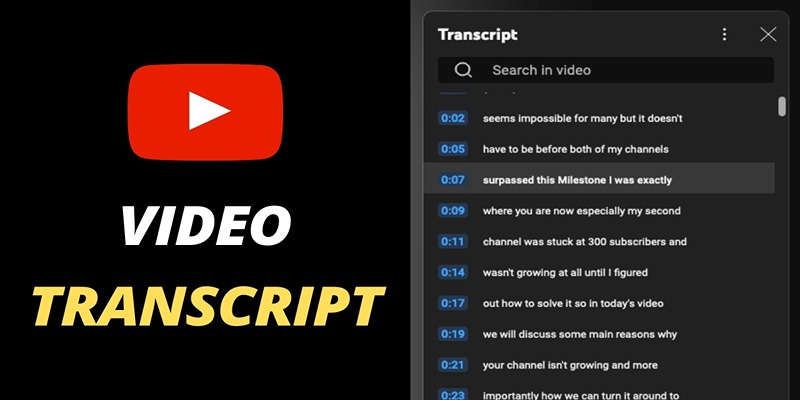
Get Rid of Timestamps and Create Readable YouTube Video Transcripts
How to Convert OGV to MP4: 3 Fast and Easy Methods