 knacksnews
Get Rid of Timestamps and Create Readable YouTube Video Transcripts
When you watched a YouTube video with a lot of useful information, did you find it hard to retain all of it? You might have started to take notes, pause and play again, or even wished there was a written version of what was said. Here's why turning YouTube timestamps into full-text recordings is useful.
Whether you’re a student, content creator, researcher, or just someone who loves saving time, having a text version of YouTube content is super useful. This guide will walk you through how to turn timestamps into clean, easy-to-read transcripts.
Understanding YouTube Timestamps
YouTube timestamps are markers that show the time that is put in the description or comments part of a video. So it's easier for people to find what they want in a movie. They help break it up into parts. For example:
- 00:00 - Introduction
- 02:15 - Key Takeaways
- 05:30 - Summary
These timestamps are useful for navigation but don’t provide the actual spoken content. To make this content accessible, especially for people who prefer reading or need subtitles, timestamps must be converted into complete transcripts.
Why Convert Timestamps into Transcripts?
For individuals and organizations alike, converting timestamps into readable transcripts serves several purposes.
Key benefits include:
- Better Accessibility: People with hearing impairments can access video content easily.
- Faster Content Consumption: Readers can skim through key points without watching the full video.
- Educational Use: Teachers, students, and researchers can take notes and highlight critical information.
- SEO and Marketing: Search engines can index transcripts, boosting visibility.
- Content Repurposing: Transcripts can be reused in blogs, newsletters, and social media posts.
Instead of watching a 30-minute video, a user can read a 3-minute transcript and get the same information. It can be a major time-saver.
Methods to Convert YouTube Timestamps into Transcripts
There are different ways to turn timestamps into full text. The method chosen depends on whether the video has subtitles, whether a transcript already exists, and how accurate the final text needs to be.
Using YouTube’s Auto-Generated Transcript Feature
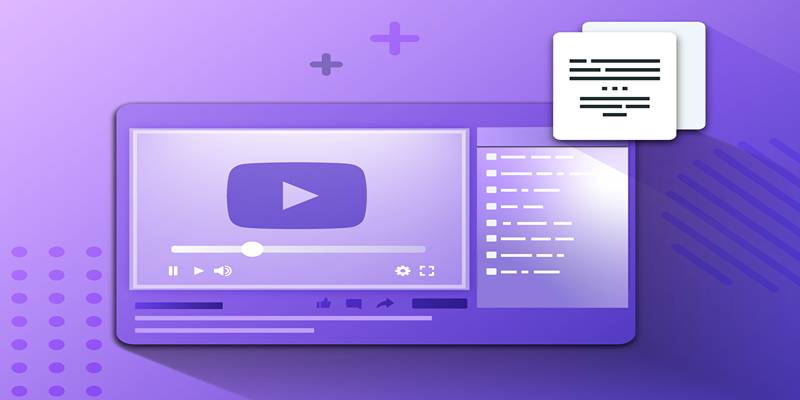
One of the most accessible methods is through YouTube’s transcript tool. This method is helpful when the creator allows subtitles or captions.
Steps to follow:
- Open the YouTube video.
- Click on the three-dot menu under the video or select "More."
- Click “Show transcript.”
- A panel with the transcript and timestamps will appear.
- Copy the transcript and paste it into a document.
- Remove timestamps manually or use editing tools to clean the format.
While this tool provides a good starting point, it’s not always accurate. Automated captions might contain spelling errors, missed words, or incorrect punctuation. However, with some light editing, the transcript can be made readable.
Using Online Transcript Tools
Many websites and apps allow users to paste a YouTube link and receive a transcript in return. These platforms use speech recognition to convert audio into text and often include editing features.
Popular tools include:
- YouTubeTranscript.com – A free and simple tool to generate raw transcripts.
- Otter.ai – Provides real-time transcription with keyword highlights.
- Temi and Sonix.ai – Offer fast results with options for exporting text in various formats.
These platforms save time and effort, especially for long videos. While some offer free plans, others may require payment for advanced features such as automatic timestamp removal or downloadable file formats.
Manual Transcription Using Google Docs Voice Typing
When automatic tools aren’t available or accurate, manual transcription using Google Docs is an effective method.
Steps to use Google Docs Voice Typing:
- Open a Google Doc.
- Go to Tools > Voice Typing.
- Play the YouTube video on another device or window.
- Speak clearly or let the computer microphone capture the video’s audio.
- Google Docs will transcribe the audio in real-time.
This method works best in quiet environments and may require some cleanup afterward. It’s useful when videos don’t have captions or when more control over the output is desired.
Cleaning and Formatting the Transcript
After getting the raw transcript, it’s essential to clean and format it to make it readable and useful. A transcript full of timestamps, filler words, and long paragraphs can be difficult to follow.
Steps to clean up a transcript include:
- Remove timestamps using "Find and Replace" or editing tools.
- Fix grammar and punctuation to improve clarity.
- Break long paragraphs into smaller chunks.
- Add headings or bullet points for better organization.
- Label speakers if the video has more than one person talking.
Example cleanup:
Before:
03:00 So, uhm, this is like where we start the lesson on digital painting
After:
Digital Painting Lesson
"This is where the digital painting lesson begins."
Use Cases for YouTube Transcripts
The value of a full-text transcript extends beyond just having a readable version of a video. Transcripts can be used in several professional and personal contexts.
Common use cases include:
- Blog writing: Turning a video into a step-by-step article.
- Training material: Converting tutorial videos into printable guides.
- Podcast summaries: Making podcast episodes accessible as text.
- Academic work: Quoting or referencing video content with clarity.
- Translation: Providing text to translate into other languages.
By converting a video’s spoken content into readable text, creators and viewers open new doors for accessibility and reuse.
Tools to Remove Timestamps Automatically
While many people remove timestamps manually, a few tools and scripts can help automate this step. These tools detect timestamp formats (like 00:00) and delete them from the transcript.
Some helpful tools include:
- TextFixer – A free tool to clean unwanted characters from text.
- Online Notepad tools – Some online editors offer regex-based cleanup.
- Custom scripts in Word or Notepad++ – Using Find/Replace functions with timestamp patterns like \d{1,2}:\d{2}.
These solutions are ideal for batch editing large transcripts or when preparing content for publishing.
Conclusion
Converting YouTube timestamps into full-text transcripts is a valuable process that supports accessibility, learning, and content creation. Whether someone is repurposing content for a blog or needs notes for an online course, having a clear transcript can make all the difference. By using built-in YouTube features, online tools, or manual methods like Google Docs voice typing, individuals can easily create quality transcripts. Cleaning and formatting these transcripts enhance their usability and ensure they serve a practical purpose.
On this page
Understanding YouTube Timestamps Why Convert Timestamps into Transcripts? Key benefits include: Methods to Convert YouTube Timestamps into Transcripts Using YouTube’s Auto-Generated Transcript Feature Steps to follow: Using Online Transcript Tools Popular tools include: Manual Transcription Using Google Docs Voice Typing Steps to use Google Docs Voice Typing: Cleaning and Formatting the Transcript Steps to clean up a transcript include: Use Cases for YouTube Transcripts Common use cases include: Tools to Remove Timestamps Automatically Some helpful tools include: ConclusionRelated Articles
How to Integrate Google Sheets with Mailchimp: A Step-by-Step Guide
Find the Right Pomodoro Timer App to Maximize Your Work Sessions

Top System Monitoring Software You Need for Smooth PC Performance
Trello vs. Asana: Which Project Management Tool is for You?
ProWritingAid vs. Grammarly: A Writer's Guide to Choosing the Best Tool
Best Ways to Convert WAV to MP3 and Reduce Podcast File Size Fast
Simplify Appointment Scheduling with DaySchedule: The Ultimate Time-Saving Tool

Safe and Secure: Free Antivirus Solutions for Daily Web Protection
High-Quality Music Video Editing: Best 5 Desktop Software Picks

Free API Testing Tools That Help Developers Test and Debug Fast
Writesonic vs. Jasper