 knacksnews
Trello vs. Asana: Which Project Management Tool is for You?
The workplace uses Trello and Asana as its most employed project management platforms. These project management tools have common ground yet serve different types of users who adopt various work methods. This article compares critical elements of Trello and Asana to help you select the best project management tool for your requirements in 2025.
Overview of Trello and Asana
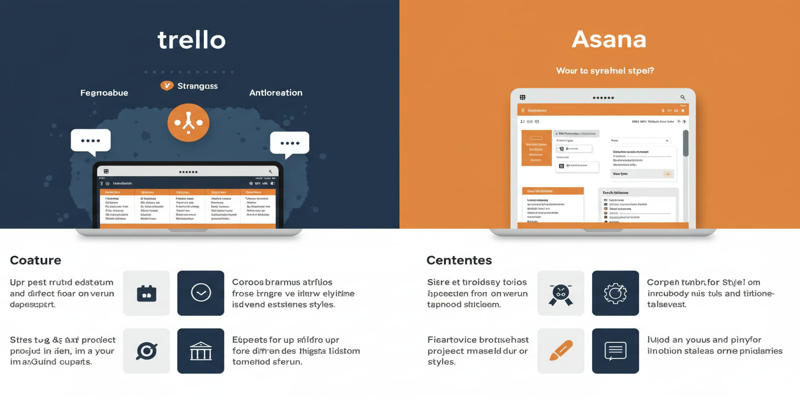 Trello stands out as a Kanban tool that helps users work with easy-to-understand visual task plans. Asana proves best for short-term group tasks in basic projects. Since Asana supports complex workflows with multiple features, it works better for teams managing difficult projects than for smaller teams using Trello.
Feature | Trello | Asana |
|---|---|---|
Primary Methodology | Kanban boards | Multiple methodologies |
Best For | Small teams, simple projects | Medium-to-large teams, complex workflows |
Starting Price | $5/user/month | $10.99/user/month |
Key Features Comparison
1. Task Management
You can move tasks between positions on your Kanban board because Trello uses this system to manage tasks. Though Trello lets you add custom fields and upload files as standard, advanced task linking and subtask creation need Power Ups or additional platform connexions.
Asana delivers more built-in task-handling tools than other systems, like subtasks, project legs, automatic resets, and task connexion setups. Asana offers internal tools that help teams handle demanding work processes better than Trello.
Feature | Trello | Asana |
|---|---|---|
Subtasks | Requires Power-Up | Native |
Task Dependencies | Requires Power-Up | Native |
Recurring Tasks | Requires Power-Up | Native |
2. Project Views
Although Trello mainly operates through Kanban boards, the premium plans give users access to additional project views like calendar, timeline, table, and map. These systems deliver inadequate results compared to Asana.
Asana lets users access different project views without paying while providing a list, board, calendar, timeline (Gantt chart), and workload views. The built-in views transmit data between different project displays without manual effort.
Feature | Trello | Asana |
|---|---|---|
Kanban Boards | Excellent | Good |
Timeline/Gantt Charts | Requires Power-Up | Native |
Calendar View | Limited | Robust |
3. Collaboration Tools
Both software platforms let users partner at the task level using the chat and teammate tagging functions. Differences exist since Asana lets you collaborate through both project discussion boards and integrated messaging tools for team announcements and live chat. While Trello needs Power-Ups for direct messaging platform integration, the tool lacks these features natively.
Feature | Trello | Asana |
|---|---|---|
Comments on Tasks | Native | Native |
Built-In Messenger | Requires Integration | Native |
Project Message Board | Not Available | Native |
4. Automation Capabilities
Trello offers Butler automation as a built-in tool but users must enhance automation features by purchasing Power-Ups upgrades.
Asana includes complete automation tools that come standard in every plan package. When tasks satisfy specified conditions users can set them to get assigned due dates or move automatically between sections.
Pricing Comparison
The price differences between Trello and Asana affect which platform customers select...
- Trello Pricing: Starts at $5 per user/month (Standard plan). Though free to use, this plan limits advanced features such as timelines and automation until you subscribe to Power-Ups.
- Asana Pricing startsat $10.99 per user/month (Starter plan). The basic plan lets you add 15 people with view access to all project displays, but it does not include Gantt chart capabilities.
Although Trello has lower start-up costs, its Power-Up add-ons increase expenses when advanced tools become necessary.
Ease of Use
The systems suit different types of users yet remain easy to work with.
- Because of its basic design, Trello works well for newcomers who learn immediately. However, the system struggles with complex work processes because essential add-ons are needed.
- The platform's user interface is easy to understand while supporting advanced project needs. Users working on major undertakings find value in the platform's program structure for organizations of different types.
Security Features
Project management tools depend on strong security for success in their purpose.
- During a data breach Trello revealed 15 million user private email addresses to unauthorised parties. Enhanced security steps have been added to protect important projects after this event happened.
- Asana provides effective security protections through the setup of advanced security measures.
Collaboration Features
The collaboration features of Trello consist of straightforward elements, including task commenting, file attachments, and team mentions. Users find visual collaboration through cards to be very beneficial, although they lack advanced messaging functions.
Task collaboration in Asana meets high standards through multiple features, including commenting on tasks, tagging capability, messaging boards, and messenger functions. Teams dependent on thorough communication and frequent collaboration should find Asana more suitable.
Integration and Compatibility
The Trello platform allows users to connect with Slack, Google Drive, and Dropbox through its integration system. Small organizations benefit from Trello API access because it allows them to create personalized integrations for their operations.
The online platform Asana enables connection to various third-party applications, including Microsoft Teams, Salesforce, and Zapier. The solution chooses Trello over others because its application programming interface provides detailed customization abilities that accommodate complicated workflows among teams using many different tools.
Which Tool Should You Choose?
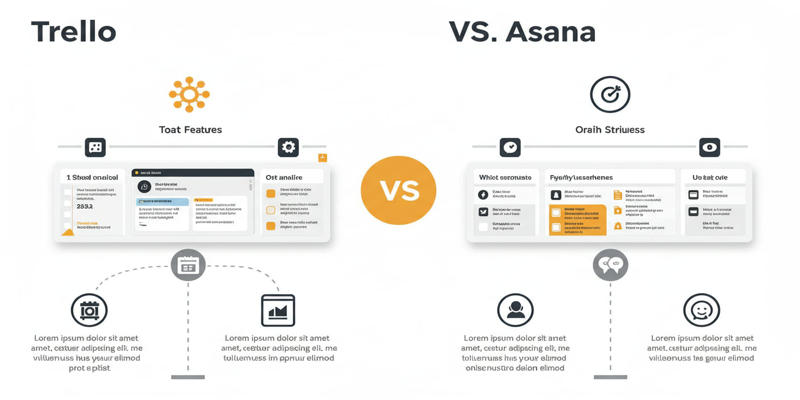 Choose Trello If:
- A small project team with a limited scope employs you in their operations.
- Your preferred method of organizing projects uses Kanban boards.
- Budget constraints are a priority.
Choose Asana If:
- You have teams of various sizes handling advanced workload combinations.
- Your project needs locking relationships between tasks or marking project progress with targets.
- You need different project presentations without additional connexion tools.
Comparison Table: Trello vs Asana
Feature | Trello | Asana |
|---|---|---|
Best For | Small Teams | Medium-to-Large Teams |
Starting Price | $5/user/month | $10.99/user/month |
Free Plan | Unlimited Cards | Up to 15 Members |
Task Dependencies | Requires Power-Up | Native |
Subtasks | Requires Power-Up | Native |
Gantt Charts | Requires Power-Up | Native |
Collaboration Tools | Basic Comments Only | Message Boards & Messaging |
Security Features | Recent Data Breach | Strong Security Track Record |
Conclusion
Both Trello and Asana deliver first-rate project management solutions that suit diverse working styles and price ranges. Trello helps small teams handle easy tasks at a budget-friendly rate, but Asana proves better because it effectively handles advanced workloads for larger teams. Review your team's needs properly and pick the platform that works best to achieve your targets.
On this page
Overview of Trello and Asana Key Features Comparison 1. Task Management 2. Project Views 3. Collaboration Tools 4. Automation Capabilities Pricing Comparison Ease of Use Security Features Collaboration Features Integration and Compatibility Which Tool Should You Choose? Choose Trello If: Choose Asana If: Comparison Table: Trello vs Asana ConclusionRelated Articles

How to Integrate Google Sheets with Mailchimp: A Step-by-Step Guide

Spotting AI-Generated Content: The Best Detectors You Need to Know
How to Convert OGV to MP4: 3 Fast and Easy Methods
Trello vs. Asana: Which Project Management Tool is for You?

10 Best Accounting Software Tools for Self-Employed People

19 Zoom Tips and Tricks for Better Video Meetings: Master Virtual Communication

Unlock Higher Productivity with These 10 Chrome Extensions 2025
Best Ways to Convert WAV to MP3 and Reduce Podcast File Size Fast
Get Rid of Timestamps and Create Readable YouTube Video Transcripts
Top Free Graphic Design Tools Anyone Can Use Without Experience
Best Free Online Converters for Converting JSON to CSV Quickly