 knacksnews
Smooth Your Shaky Videos: 4 Best AI Stabilizers for macOS
Capturing the perfect shot can be tough, especially when your camera shakes unexpectedly. Whether you're recording a high-energy sports event, a family vacation, or a simple vlog, shaky footage can quickly ruin your hard work. Thankfully, technology has caught up with this problem. AI-powered video stabilizers are here to smooth out those rough edges and give your videos a polished, professional look.
For macOS users, this means accessing some of the most advanced stabilization tools that not only correct camera shake but also preserve the natural flow of your footage. Let’s dive into the best AI stabilizers available for macOS.
Final Cut Pro with CoreML Integration
Final Cut Pro is Apple's editing software, and it's deeply optimized for macOS hardware. What really sets it apart today is its integration with CoreML, Apple's native machine learning framework. While Final Cut Pro doesn't ship with AI stabilization labeled as such, it leverages machine learning in subtle ways that enhance its built-in stabilization.
When you apply stabilization in Final Cut Pro, the algorithm analyzes not just the movement between frames but also how objects shift and change within the frame. This makes it better at handling footage that involves more than just camera shakes—like zoom, pan, or even minor rotational movement. It's ideal for vloggers, filmmakers, and anyone who wants high-end control with the benefit of AI subtly working in the background.
The stabilization process here is fast, especially on M1 and M2 chips. Rendering doesn’t feel like a chore. Final Cut Pro also gives users the ability to toggle between “InertiaCam” and “SmoothCam” depending on the look they’re going for—whether that’s subtle correction or something more cinematic. It’s the kind of tool that rewards users who are willing to spend a little time tweaking settings.
Adobe Premiere Pro with Sensei AI
Premiere Pro is one of the most recognized editing tools across both platforms, and its Sensei AI engine is a big part of what keeps it competitive. For macOS users, Premiere Pro works well—especially on the newer Apple Silicon chips. Sensei powers a range of features inside Premiere Pro, one of which is the Warp Stabilizer.
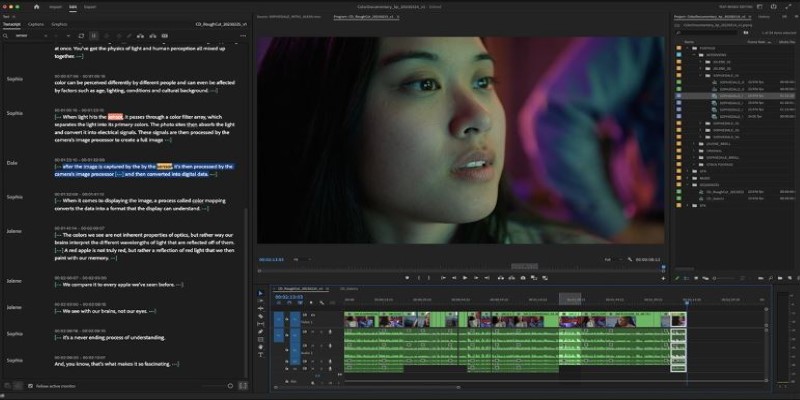
Warp Stabilizer isn't just a basic filter. It's trained to understand how footage moves and adjusts individual frames accordingly. With AI in the driver's seat, the tool does more than just crop and shake reduction—it figures out how to realign objects frame by frame. That's a massive step up compared to traditional stabilization, which sometimes warps the frame or creates odd digital artifacts.
Premiere Pro shines with mixed-motion footage—shots that include both camera shake and intentional movement. If you’re filming while walking, running, or even riding a bike, Sensei helps the Warp Stabilizer figure out what’s intentional and what’s not. The result is a cleaner, more watchable video without the blur and odd distortion that comes from manual adjustments.
That said, it's not perfect out of the box. Sometimes, it needs a second pass, or you'll want to fine-tune a few settings. However, in terms of intelligent automation, Premiere Pro with Sensei is one of the most capable tools available on macOS.
Deshake by FXhome (via HitFilm)
HitFilm by FXhome, traditionally associated with PC users, offers a powerful macOS version. One of its standout features is the Deshake effect, which combines traditional stabilization with AI prediction. While not branded as an AI-only tool, Deshake utilizes machine learning techniques behind the scenes for superior performance.
What makes Deshake impressive is its ability to focus on the motion paths of key objects within the frame. Rather than just addressing camera shake, it locks onto central elements—like a person walking down a street—and stabilizes around their movement. This approach results in footage that feels grounded without the unnatural wobble or distortion often seen in traditional stabilization.
Deshake is particularly effective for handheld shooting, especially when dealing with quick pans or zooms. On macOS, the tool performs well, although real-time playback can be slower on lower-end hardware. HitFilm also offers a flexible pricing model, allowing users to start with a free version and unlock only the features they need. This makes Deshake a great option for those seeking a simple yet powerful way to fix shaky footage without the need for a full editing suite.
Runway ML
Runway ML is probably the most "AI-native" video editor on this list. It's designed around machine learning, cloud processing, and ease of use. And yes, it works on macOS—especially via web browsers like Safari and Chrome. The Runway is unique because it does everything in the cloud. That means you don't need a powerful Mac to run complex video corrections.

Its video stabilization tool is relatively new, but it uses a highly trained neural model to detect jitter, micro-shakes, and motion blur. The system doesn't just analyze adjacent frames—it understands motion patterns across time. That gives it an edge when stabilizing longer clips or scenes where the camera is in motion for an extended period.
Runway's AI models are updated regularly, which means stability improves over time without you having to reinstall or upgrade anything. It also easily connects with other Runway features—like background removal and object tracking—making it a solid all-in-one platform for content creators.
Where it lacks is offline capability. If you lose your internet connection or work in areas with slow speeds, Runway won’t help. But for cloud-based, AI-first editing on macOS, it’s hard to beat.
Conclusion
AI video stabilizers have revolutionized the way we correct shaky footage on macOS, offering smart and efficient solutions. From Final Cut Pro's machine-learning integration to Premiere Pro's Sensei-powered Warp Stabilizer, these tools provide precision and ease. HitFilm’s Deshake and Runway ML further enhance stabilization with unique, AI-driven features. Regardless of your editing needs, these AI tools ensure your videos achieve smooth, professional results, effortlessly transforming shaky footage into a polished final product.
Related Articles

How to Integrate Google Sheets with Mailchimp: A Step-by-Step Guide

Safe and Secure: Free Antivirus Solutions for Daily Web Protection
Organize Your Drives with These Best Disk Partition Apps for Windows

Simplify Appointment Scheduling with DaySchedule: The Ultimate Time-Saving Tool

ActiveCampaign vs. HubSpot: Which CRM Best Fits Your Business Needs

19 Zoom Tips and Tricks for Better Video Meetings: Master Virtual Communication
Use PowerToys Run to mimic Mac's Spotlight in Windows

Smooth Your Shaky Videos: 4 Best AI Stabilizers for macOS

Step-by-Step Guide to Creating Password-Protected ZIP Files Online

Ultimate Guide to Google Calendar Settings
Trello vs. Asana: Which Project Management Tool is for You?